Find the real problem
We separate the workflow issue from the role you assumed you needed to hire.
Custom software for small operations
When spreadsheets, inboxes, and disconnected tools start costing your team time, we identify the real workflow problem and build 15% of the software free. You see it working before you commit.
The Farenhite approach
We turn the job description, repeated task, or operational bottleneck into focused software your existing team can use.
We separate the workflow issue from the role you assumed you needed to hire.
We build a meaningful first portion so you can judge the interface and direction in context.
Continue the build, hand it to your own team, or stop after the preview without a project commitment.
Who we build for
These operations commonly reach the point where manual coordination is slowing growth, but a dedicated software team is still too much.
Candidate pipelines, client updates, intake, scheduling, and follow-ups.
02Patient intake, team tasks, referrals, records workflows, and reporting.
03Maintenance requests, vendor assignments, inspections, and owner visibility.
04Job assignment, driver status, delivery exceptions, and customer updates.
05Client intake, documents, deadlines, approvals, billing, and case status.
06Client portals, reporting, deliverables, approvals, and resource planning.
Example solutions
These demonstration builds show what a focused solution could look like. They are product examples, not claims about past client results.
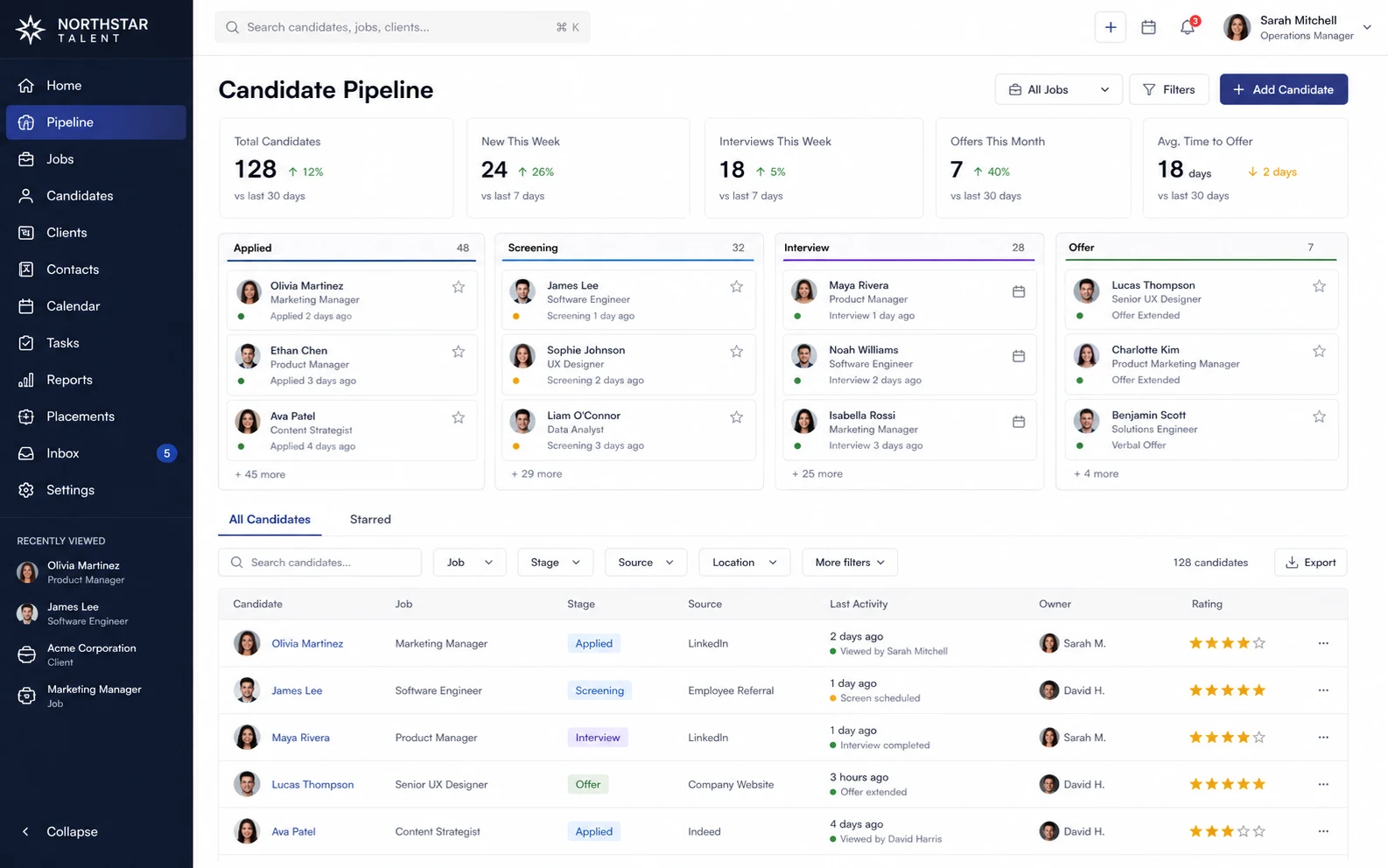
The agency thinks it needs another operations hire. The deeper issue is that candidate intake, interviews, client notes, and reminders live in separate places.
Map where candidates stall and information gets repeated.
Connect intake, status, interviews, notes, and reminders.
Give recruiters and managers one current view of every placement.
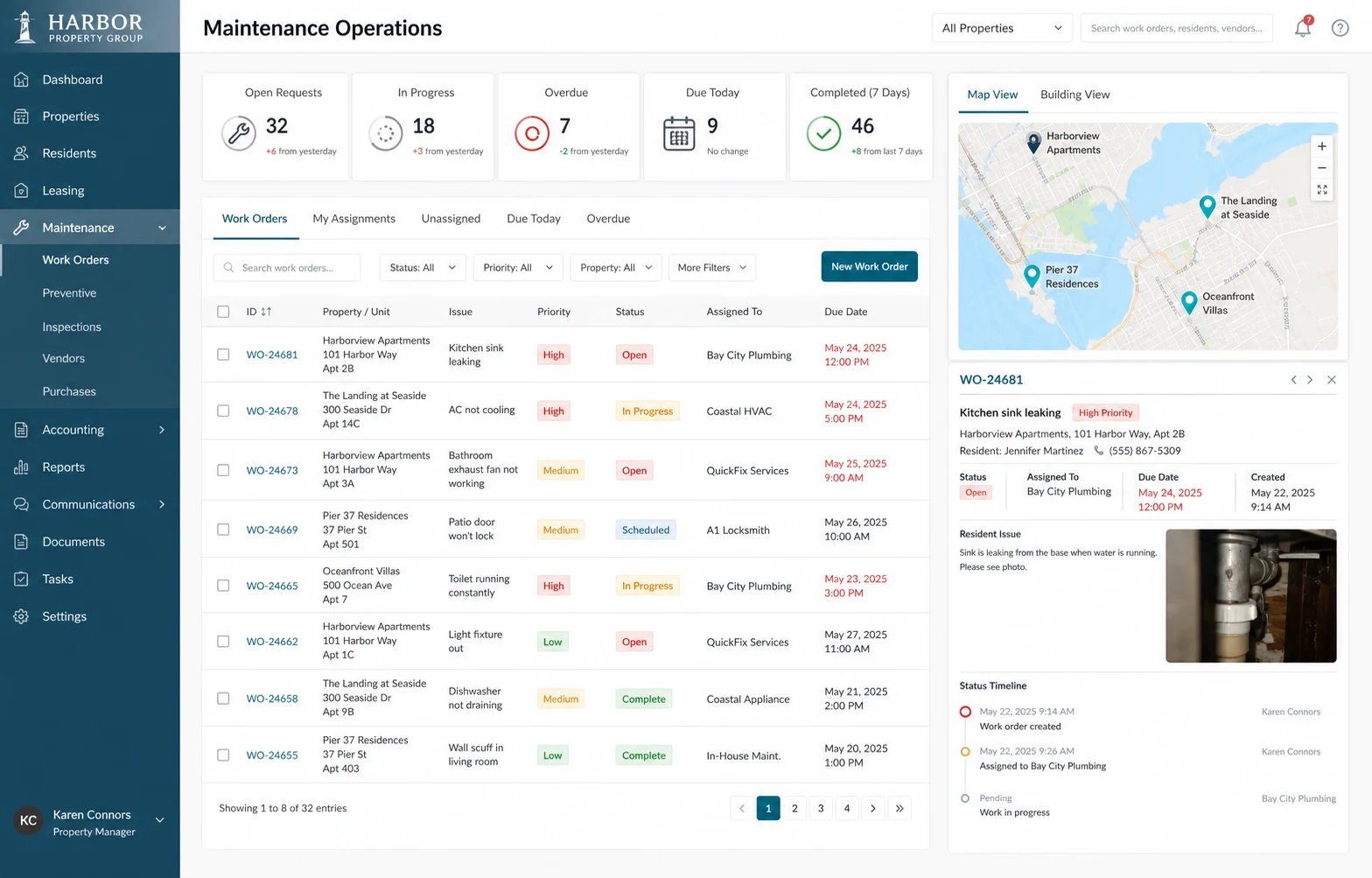
Requests arrive through every channel, coordinators manually contact vendors, and owners cannot see progress. One operations portal makes the work traceable.
Tenants submit the issue, urgency, and photos in one place.
Staff assign a vendor, set a due date, and track status.
Managers and owners see open work without requesting updates.
Real project proof
A focused product build for creators, teams, tutorials, demos, and client communication.
Record polished product walkthroughs and clear client updates without another meeting.
What we build
We choose the format around the workflow, from a narrow internal tool to a complete customer-facing product.
Live status, assignments, priorities, and reporting for the people running the business.
Secure access to requests, documents, approvals, progress, and communication.
Connect forms, data, notifications, and repeat tasks across the tools you already use.
Purpose-built mobile experiences for teams working away from a desk.
Search, summarize, classify, draft, and assist where AI creates measurable value.
Launchable software for founders validating a product or serving early customers.
A clear way forward
You do not need a technical specification. A role description, screen recording, spreadsheet, or explanation of the problem is enough to begin.
Walk us through the task, bottleneck, and people involved.
We identify the smallest part that proves the direction and value.
See a working portion and evaluate the quality before committing.
We complete the agreed scope, launch it, and transfer the code.
After launch
Optional monthly care covers monitoring, updates, fixes, and ongoing improvements. Project-only delivery remains available.
Common questions
Clear scope, ownership, pricing, and handoff before paid work starts.
Ask your questionWe build a meaningful working portion of the proposed solution before you commit to the full project. The exact portion depends on the scope and is agreed before work begins.
No. Bring us the business problem, role description, or manual workflow. We identify the product and technical requirements with you.
Yes. After the paid project is completed, the agreed source code is transferred to you. The free preview code transfers when you continue with the complete project unless otherwise agreed in writing.
No. Ongoing support is optional. You can select monthly care, request changes as needed, or have your own team maintain the software after handoff.
Focused projects can often reach an initial version in one to two weeks. Integrations, complexity, feedback speed, and scope affect the final schedule, which we confirm before paid work begins.
Start with the problem
We will help determine whether focused software can solve the work before you add another full-time salary.